Codly
Codly is a Typst package that provides beautiful code blocks with language icons, line numbers, and syntax highlighting.
Setup
Because Touying re-renders content on every subslide, codly's per-page state must be restored before each slide is drawn. Pass the codly initialization as a preamble:
#import "@preview/touying:0.7.4": *
#import themes.simple: *
#import "@preview/codly:1.3.0": *
#import "@preview/codly-languages:0.1.10": *

#show: codly-init.with()

#show: simple-theme.with(
  aspect-ratio: "16-9",
  config-common(preamble: {
    codly(languages: codly-languages)
  }),
)

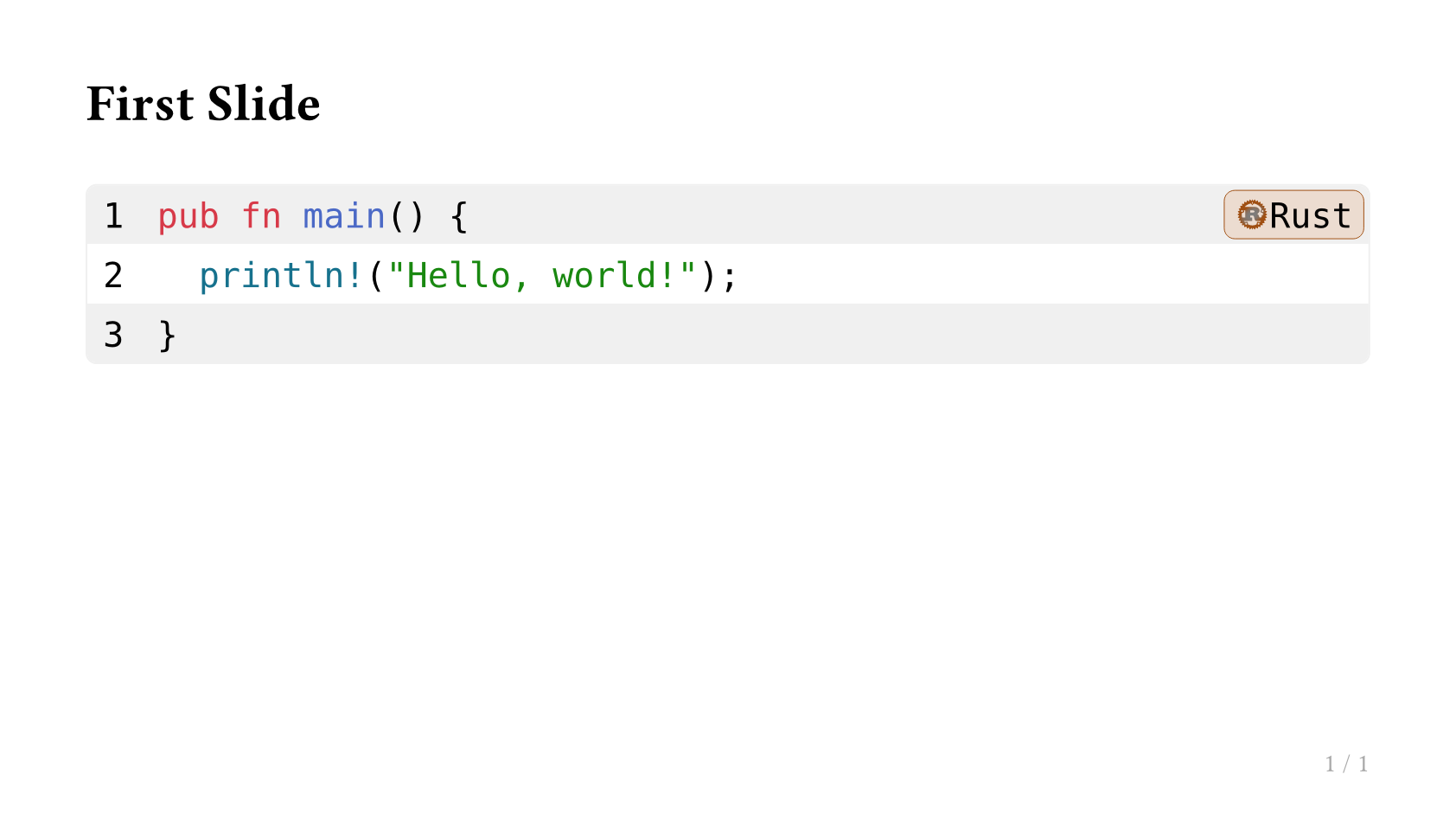
== First Slide

#raw(lang: "rust", block: true,
`pub fn main() {
  println!("Hello, world!");
}`.text)
Animated Code Blocks
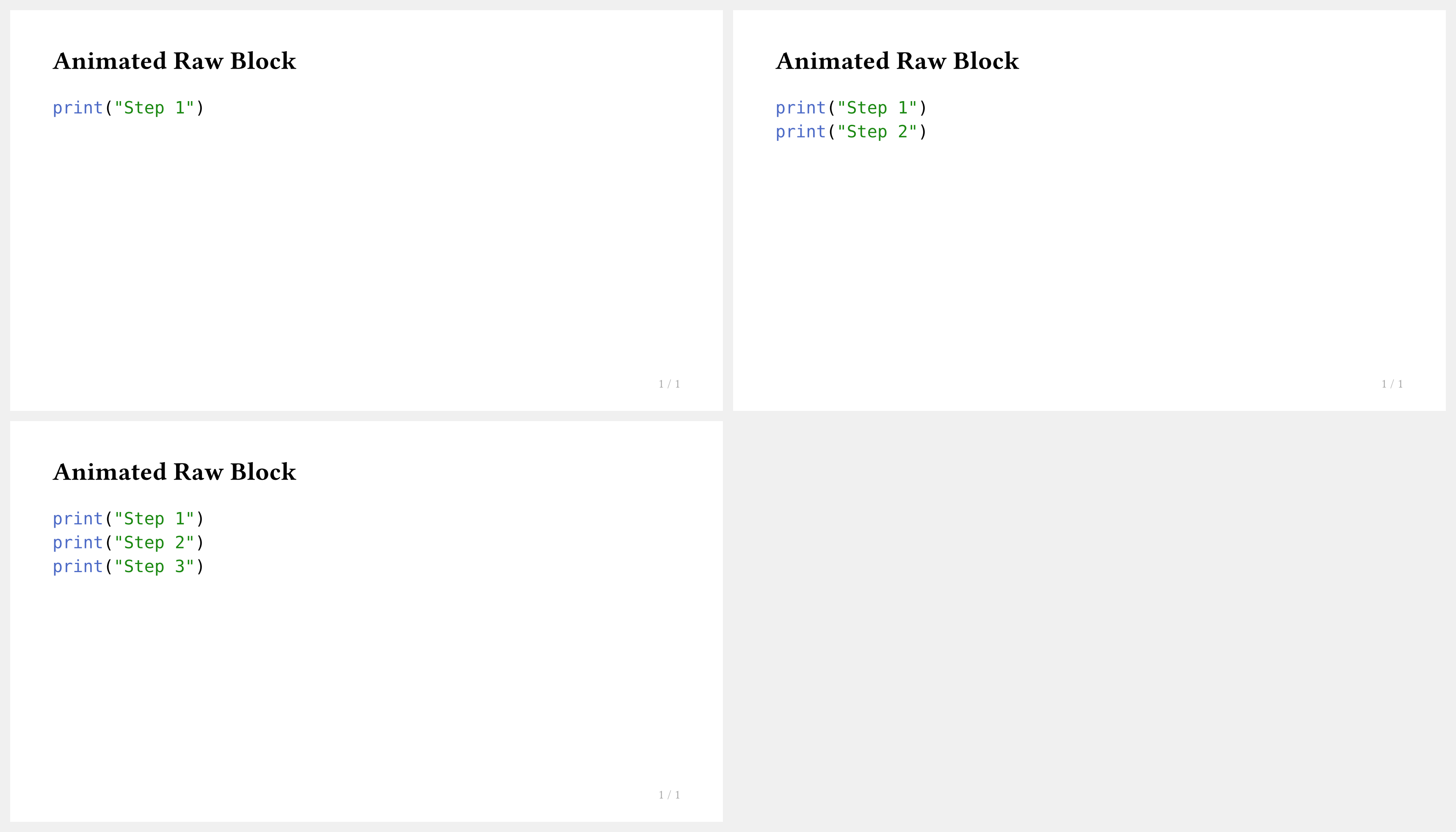
You can reveal code line-by-line using #pause or #only. However, remember that #pause does not work inside a raw block directly — use touying-raw for animated code:
#import "@preview/touying:0.7.4": *
#import themes.simple: *

#show: simple-theme.with(aspect-ratio: "16-9")

== Animated Raw Block

#touying-raw(lang: "python", ```
print("Step 1")
// pause
print("Step 2")
// pause
print("Step 3")
```)
tip
touying-raw uses special comment markers (// pause, // meanwhile) to trigger animation steps, keeping the source readable.
Codly + Animation
For a fully styled codly block with animation, combine touying-raw with config-common(preamble: ...):
#show: simple-theme.with(
  aspect-ratio: "16-9",
  config-common(preamble: {
    codly(languages: codly-languages)
  }),
)

== Animated Code

#touying-raw(lang: "python", ```
def greet(name):
// pause
    return f"Hello, {name}!"
// pause
print(greet("World"))
```)