Global Settings
Global Styles
For Touying, global styles refer to set rules or show rules that need to be applied everywhere, such as #set text(size: 20pt).
Themes in Touying encapsulate some of their own global styles, which are placed in #self.methods.init. For example, the simple theme encapsulates:
config-methods(
  init: (self: none, body) => {
    set text(fill: self.colors.neutral-darkest, size: 25pt)
    show footnote.entry: set text(size: .6em)
    show strong: self.methods.alert.with(self: self)
    show heading.where(level: self.slide-level + 1): set text(1.4em)

    body
  },
)
If you are not a theme creator but simply want to add some of your own global styles to your slides, you can easily place them before or after #show: xxx-theme.with(). For example, the metropolis theme recommends that you add the following global styles yourself:
#set text(font: "Fira Sans", weight: "light", size: 20pt)
#show math.equation: set text(font: "Fira Math")
#set strong(delta: 100)
#set par(justify: true)
Global Information
Like Beamer, Touying helps you better maintain global information through a unified API design, allowing you to easily switch between different themes. Global information is a typical example of this.
You can set the title, subtitle, author, date, and institution information of your slides with:
config-info(
  title: [Title],
  subtitle: [Subtitle],
  author: [Authors],
  date: datetime.today(),
  institution: [Institution],
)
Later on, you can access them through self.info.
This information is generally used in the theme's title-slide, header, and footer, such as #show: metropolis-theme.with(aspect-ratio: "16-9", footer: self => self.info.institution).
The date can accept datetime format and content format, and the date display format of the datetime format can be changed with:
config-common(datetime-format: "[year]-[month]-[day]")
Preamble
The config-common(preamble: ...) option lets you run setup code on every slide without repeating it manually. This is useful when integrating packages like codly:
#show: simple-theme.with(
  config-common(preamble: {
    codly(languages: codly-languages)
  }),
)
Per-slide Config Overrides
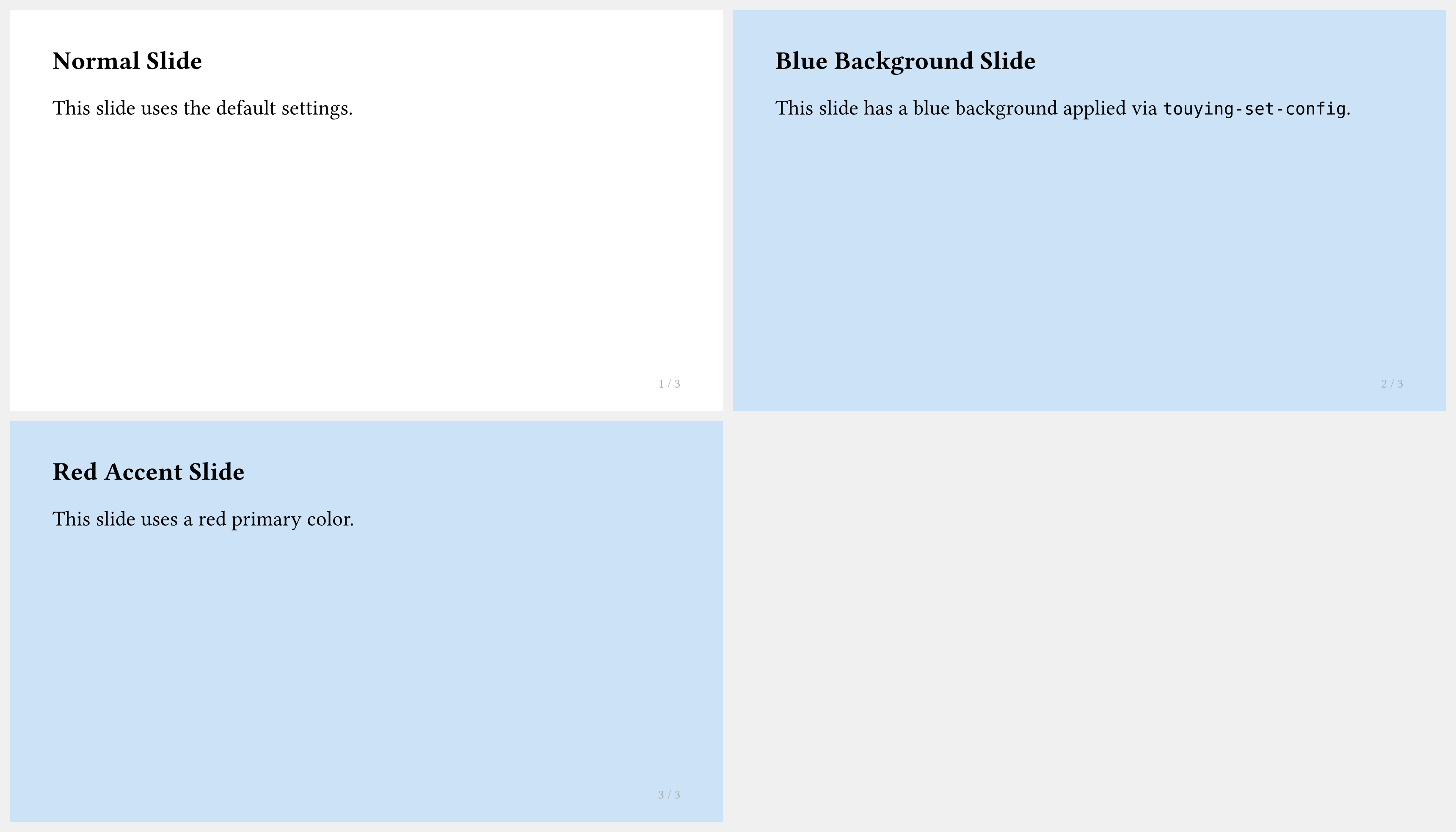
You can override any configuration for a single slide or a range of slides using #show: touying-set-config.with(...):
#import "@preview/touying:0.6.3": *
#import themes.simple: *

#show: simple-theme.with(aspect-ratio: "16-9")

== Normal Slide

This slide uses the default settings.

#show: touying-set-config.with(config-page(fill: blue.lighten(80%)))

== Blue Background Slide

This slide has a blue background applied via `touying-set-config`.

#show: touying-set-config.with(config-colors(primary: red))

== Red Accent Slide

This slide uses a red primary color.
Frozen Counters
When using animation, figure and theorem counters inside a single slide keep advancing per subslide by default. To freeze a counter (so it does not change between subslides), use:
config-common(frozen-counters: (figure.where(kind: image),))
This is especially useful when working with the Theorion package:
config-common(frozen-counters: (theorem-counter,))