全局设置
全局样式
对 Touying 而言,全局样式即为需要应用到所有地方的 set rules 或 show rules,例如 #set text(size: 20pt)。
其中,Touying 的主题会封装一些自己的全局样式,他们会被放在 #self.methods.init 中,例如 simple 主题就封装了
config-methods(
  init: (self: none, body) => {
    set text(fill: self.colors.neutral-darkest, size: 25pt)
    show footnote.entry: set text(size: .6em)
    show strong: self.methods.alert.with(self: self)
    show heading.where(level: self.slide-level + 1): set text(1.4em)

    body
  },
)
如果你并非一个主题制作者,而只是想给你的 slides 添加一些自己的全局样式,你可以简单地将它们放在 #show: xxx-theme.with() 之前或之后。例如 metropolis 主题就推荐你自行加入以下全局样式:
#set text(font: "Fira Sans", weight: "light", size: 20pt)
#show math.equation: set text(font: "Fira Math")
#set strong(delta: 100)
#set par(justify: true)
全局信息
就像 Beamer 一样,Touying 通过统一 API 设计,能够帮助您更好地维护全局信息,让您可以方便地在不同的主题之间切换,全局信息就是一个很典型的例子。
你可以通过
config-info(
  title: [Title],
  subtitle: [Subtitle],
  author: [Authors],
  date: datetime.today(),
  institution: [Institution],
)
分别设置 slides 的标题、副标题、作者、日期和机构信息。在后续,你就可以通过 self.info 这样的方式访问它们。
这些信息一般会在主题的 title-slide、header 和 footer 被使用到,例如 #show: metropolis-theme.with(aspect-ratio: "16-9", footer: self => self.info.institution)。
其中 date 可以接收 datetime 格式和 content 格式,并且 datetime 格式的日期显示格式,可以通过
config-common(datetime-format: "[year]-[month]-[day]")
的方式更改。
前言(Preamble)
config-common(preamble: ...) 选项允许你在每张幻灯片上执行初始化代码,而无需手动重复。这在集成 codly 等包时非常有用:
#show: simple-theme.with(
  config-common(preamble: {
    codly(languages: codly-languages)
  }),
)
单张幻灯片配置覆盖
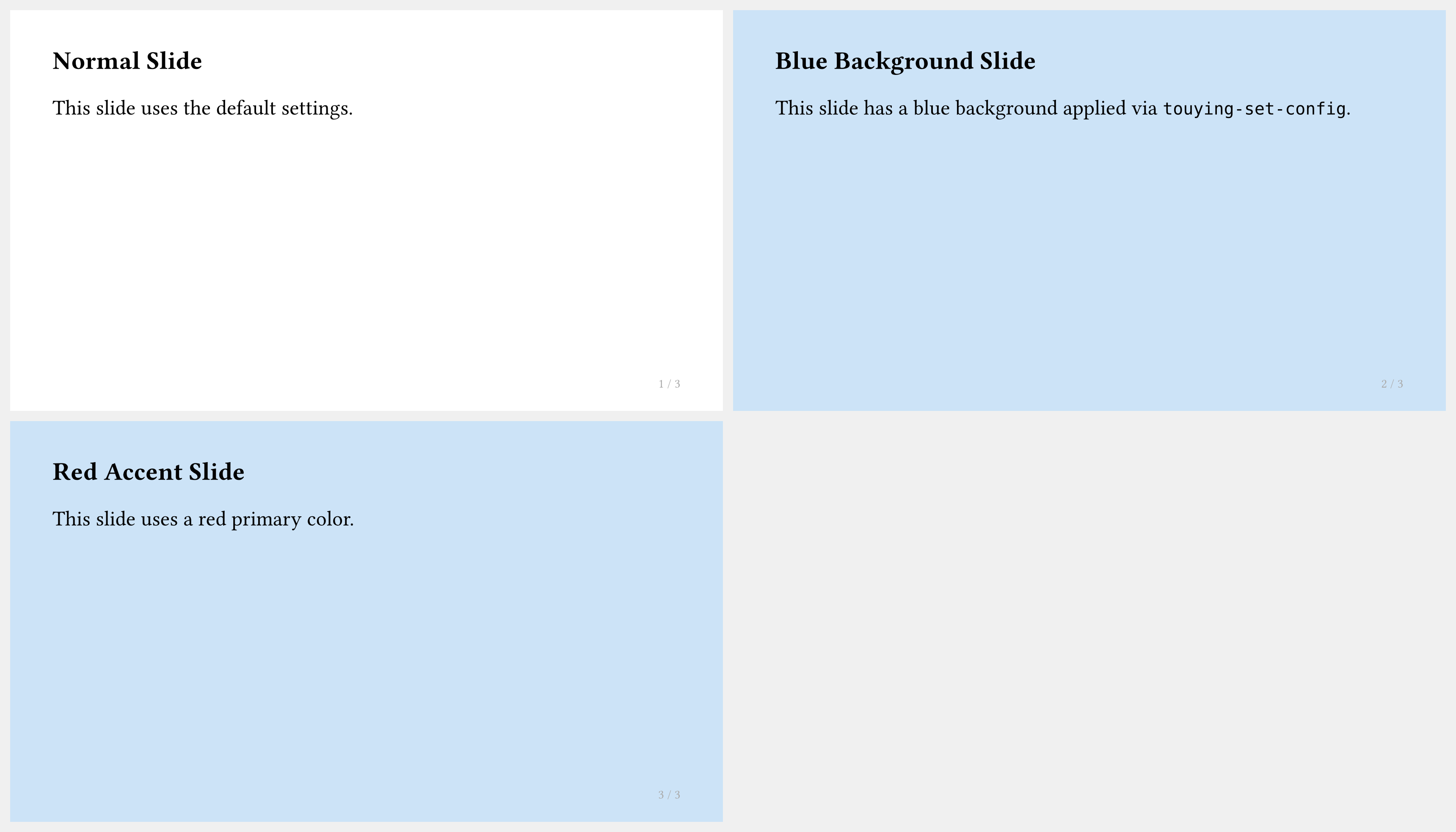
你可以使用 #show: touying-set-config.with(...) 为单张幻灯片或一段幻灯片覆盖任意配置:
#import "@preview/touying:0.6.3": *
#import themes.simple: *

#show: simple-theme.with(aspect-ratio: "16-9")

== Normal Slide

This slide uses the default settings.

#show: touying-set-config.with(config-page(fill: blue.lighten(80%)))

== Blue Background Slide

This slide has a blue background applied via `touying-set-config`.

#show: touying-set-config.with(config-colors(primary: red))

== Red Accent Slide

This slide uses a red primary color.
冻结计数器
在使用动画时,单张幻灯片内的图表和定理计数器默认会随每个子幻灯片递增。若要冻结某个计数器(使其在子幻灯片之间保持不变),请使用:
config-common(frozen-counters: (figure.where(kind: image),))
在使用 Theorion 包时这尤为有用:
config-common(frozen-counters: (theorem-counter,))