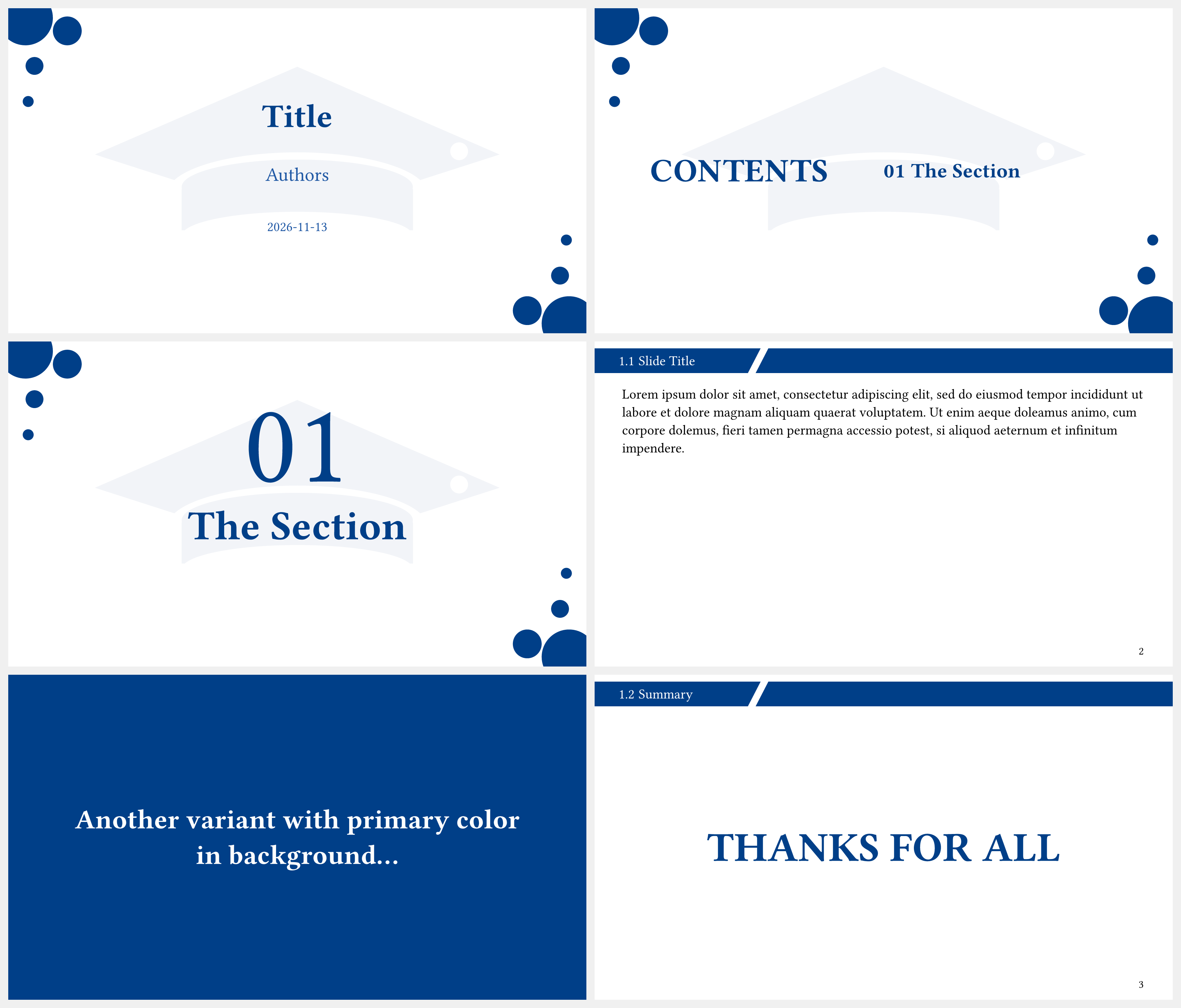
Aqua 主题
这个主题由 @pride7 制作,它的美丽背景为使用 Typst 的可视化功能制作的矢量图形。
初始化
你可以通过下面的代码来初始化:
#import "@preview/touying:0.8.0": *
#import themes.aqua: *

#show: aqua-theme.with(
  aspect-ratio: "16-9",
  config-info(
    title: [Title],
    subtitle: [Subtitle],
    author: [Authors],
    date: datetime.today(),
    institution: [Institution],
  ),
)

#title-slide()

#outline-slide()
其中 aqua-theme 接收参数:
aspect-ratio: 幻灯片的长宽比为 "16-9" 或 "4-3",默认为 "16-9"。header: 显示在页眉的内容,默认为self => utils.display-current-heading(depth: self.slide-level),也可以传入形如self => self.info.title的函数。footer: 展示在页脚右侧的内容,默认为context utils.slide-counter.display()。
并且 Aqua 主题会提供一个 #alert[..] 函数,你可以通过 #show strong: alert 来使用 *alert text* 语法。
颜色主题
Aqua 默认使用了
config-colors(
  primary: rgb("#003F88"),
  primary-light: rgb("#2159A5"),
  primary-lightest: rgb("#F2F4F8"),
  neutral-lightest: rgb("#FFFFFF"),
)
颜色主题,你可以通过 config-colors() 对其进行修改。
slide 函数族
Aqua 主题提供了一系列自定义 slide 函数:
#title-slide(config: (:), extra: none, ..args)
title-slide 会读取 self.info 里的信息用于显示,你也可以为其传入 extra 参数,显示额外的信息。
#outline-slide(config: (:), leading: 50pt)
显示一个大纲页,其中 leading 控制大纲各行之间的行距。
大纲页会用 place(hide(heading(..))) 放置一个不可见的标题,这样页眉和演讲者备注面板都能通过 utils.display-current-heading 取到这一页的标题。
#slide(
  config: (:),
  repeat: auto,
  setting: body => body,
  composer: auto,
)[
  ...
]
默认拥有页眉和页脚的普通 slide 函数。页眉的内容由主题的 header 参数决定,默认为当前 slide-level 的标题。
#focus-slide[
  ...
]
用于引起观众的注意力。背景色为 self.colors.primary。
#new-section-slide(config: (:), level: 1, body)
用给定标题开启一个新的 section。它已通过 config-common(new-section-slide-fn: ..) 注册,因此通常由 = 标题 自动触发,无需手动调用。
演讲者备注
Aqua 定义了自己的 notes 函数,并通过 config-common(notes-fn: notes) 注册,因此第二屏幕和 only-notes 视图中的备注面板会沿用主题的配色。它建立在 touying-notes 之上,你也可以传入自己的实现来覆盖它:
#show: aqua-theme.with(
  config-common(notes-fn: my-notes),
)
详见演讲者备注。
示例
#import "@preview/touying:0.8.0": *
#import themes.aqua: *

#show: aqua-theme.with(
  aspect-ratio: "16-9",
  config-info(
    title: [Title],
    subtitle: [Subtitle],
    author: [Authors],
    date: datetime.today(),
    institution: [Institution],
  ),
)

#title-slide()

#outline-slide()

= The Section

== Slide Title

#lorem(40)

#focus-slide[
  Another variant with primary color in background...
]

== Summary

#slide(self => [
  #align(center + horizon)[
    #set text(size: 3em, weight: "bold", fill: self.colors.primary)
    THANKS FOR ALL
  ]
])