定制主题
如果内置主题都不完全符合你的需求,有两种方案可供选择:
- 扩展现有主题 — 将主题文件复制到本地并进行修改。
- 从头构建新主题 — 实现你自己的
xxx-theme函数。
这两种方式均在构建你自己的主题教程中有详细介绍。
快速调整
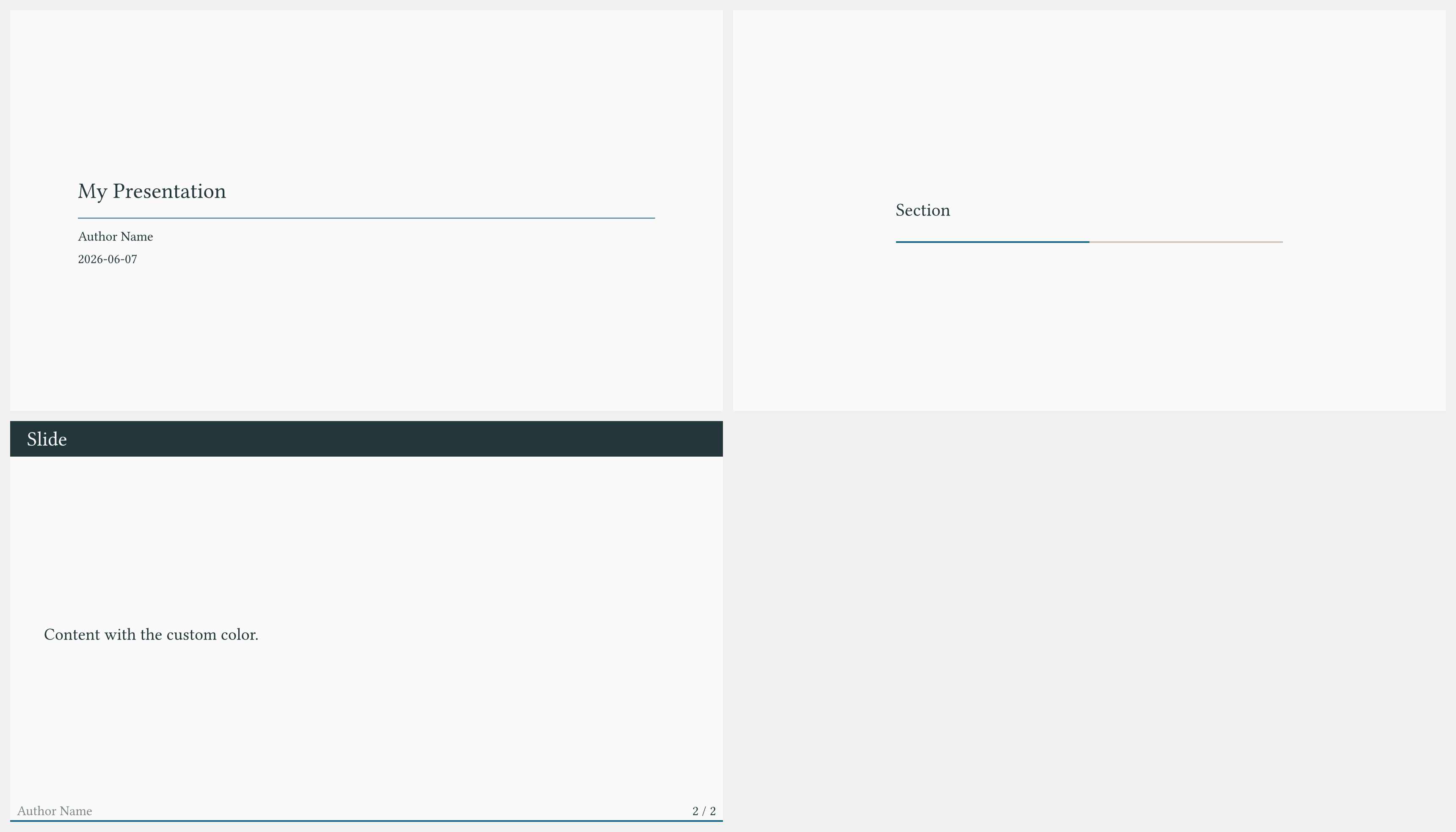
对于对现有主题的微小调整,你不需要创建单独的主题文件。可以直接内联覆盖各项设置:
#import "@preview/touying:0.7.4": *
#import themes.metropolis: *

#show: metropolis-theme.with(
  aspect-ratio: "16-9",
  // Override the primary color
  config-colors(primary: rgb("#1a6b8a")),
  // Change the footer content
  footer: self => self.info.author,
  config-info(
    title: [My Presentation],
    author: [Author Name],
    date: datetime.today(),
  ),
)

#title-slide()

= Section

== Slide

Content with the custom color.
将主题复制到本地
若需要进行更深层的结构性修改,可以将主题源文件复制到项目中:
- 从 Touying 仓库的
themes/目录下载对应文件(例如themes/metropolis.typ)。 - 将文件顶部的导入从
#import "../src/exports.typ": *改为#import "@preview/touying:0.7.4": *。 - 在项目中导入本地副本,而不是内置主题。
#import "@preview/touying:0.7.4": *
#import "metropolis.typ": *   // your local copy

#show: metropolis-theme.with(
  aspect-ratio: "16-9",
  config-info(title: [Title]),
)
现在你可以自由编辑 metropolis.typ,而不会影响其他项目。