Complex Animations
Thanks to the syntax provided by Polylux, we can also use only, uncover, and alternatives in Touying.
Mark-Style Functions
We can use mark-style functions, which are very convenient to use.
At subslide #touying-fn-wrapper-raw((self: none) => str(self.subslide)), we can

use #uncover("2-")[`#uncover` function] for reserving space,

use #only("2-")[`#only` function] for not reserving space,

#alternatives[call `#only` multiple times \u{2717}][use `#alternatives` function #sym.checkmark] for choosing one of the alternatives.
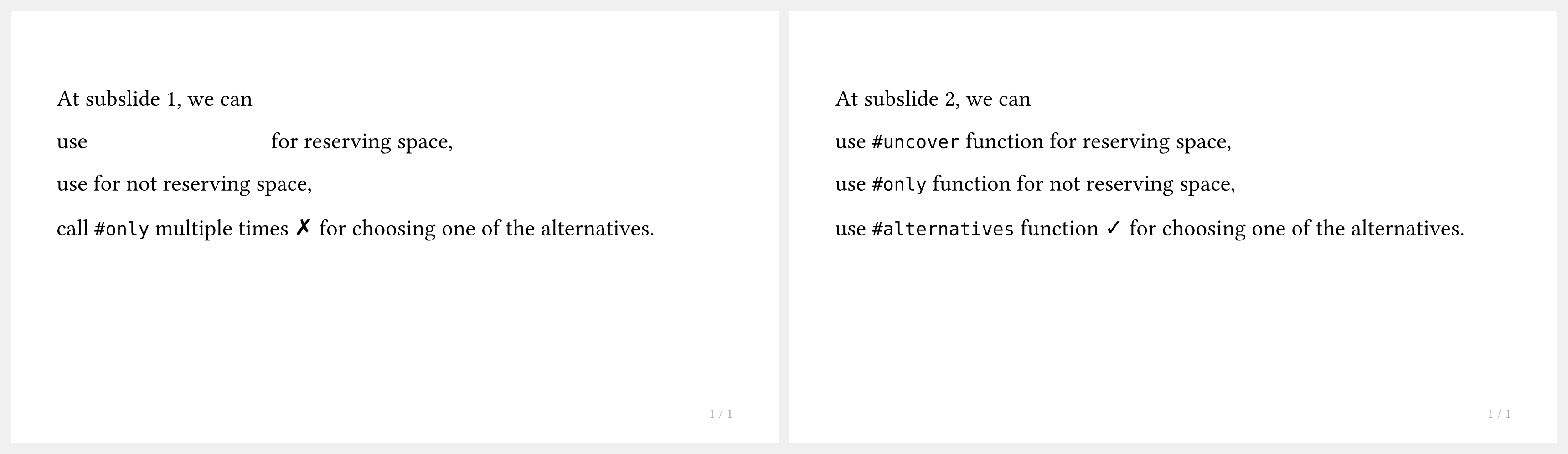
However, this does not work in all cases, for example if you put uncover into the context expression, you will get an error.
Animations Inside Mark-Style Functions
In the example above we reached self from mark-style markup with touying-fn-wrapper-raw. Its callback must be written as (self: none) => ..; writing (self) => .. fails with the argument self is positional.
Unlike touying-fn-wrapper, touying-fn-wrapper-raw does not escape the surrounding pause zone: its positional arguments are parsed as ordinary slide content. So #pause, #meanwhile and the touying-fn-wrappers (#only, #uncover, #effect, ..) all work inside it, and one touying-fn-wrapper-raw may be nested inside another. Functions built on top of it, such as #alert, inherit this:
#slide[
  #alert[First #pause Second #uncover("3-")[Third]]

  #pause

  Fourth
]
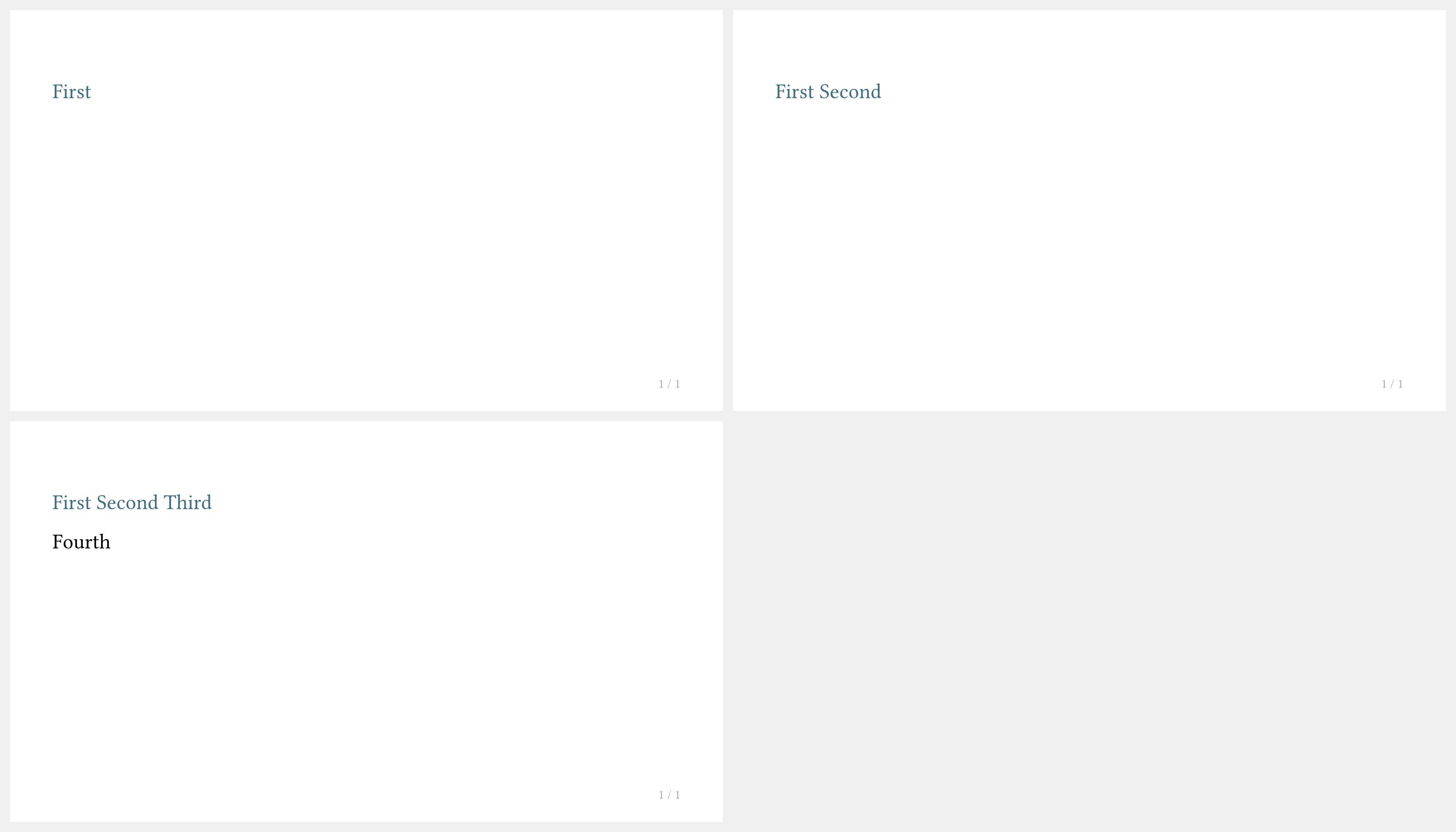
This slide has 4 subslides. touying-fn-wrapper behaves differently: it hands its positional arguments straight to the wrapped function without parsing them, so a #pause or a nested #uncover inside one reaches that function as an unresolved metadata mark and touying panics with Unsupported mark. For that reason touying-fn-wrapper-raw is the better choice in most cases; reach for touying-fn-wrapper only when you genuinely need last-subslide or repetitions.
The body must be passed as a positional argument of touying-fn-wrapper-raw for this to apply. Baking it into the wrapped function with .with(..) hides it from the parser, and animation functions inside it will panic:
// Body is invisible to the parser — #pause and #uncover inside will panic.
#let my-block(title: none, it) = touying-fn-wrapper-raw(_my-block.with(title: title, it))

// Body is parsed like ordinary slide content — animations work inside.
#let my-block(title: none, it) = touying-fn-wrapper-raw(_my-block.with(title: title), it)
Callback-Style Functions
To overcome the limitations of layout functions mentioned earlier, Touying cleverly implements always-effective only, uncover, and alternatives using callback functions. Specifically, you need to introduce these three functions as follows:
#slide(repeat: 3, self => [
  #let (uncover, only, alternatives) = utils.methods(self)

  At subslide #self.subslide, we can

  use #uncover("2-")[`#uncover` function] for reserving space,

  use #only("2-")[`#only` function] for not reserving space,

  #alternatives[call `#only` multiple times \u{2717}][use `#alternatives` function #sym.checkmark] for choosing one of the alternatives.
])
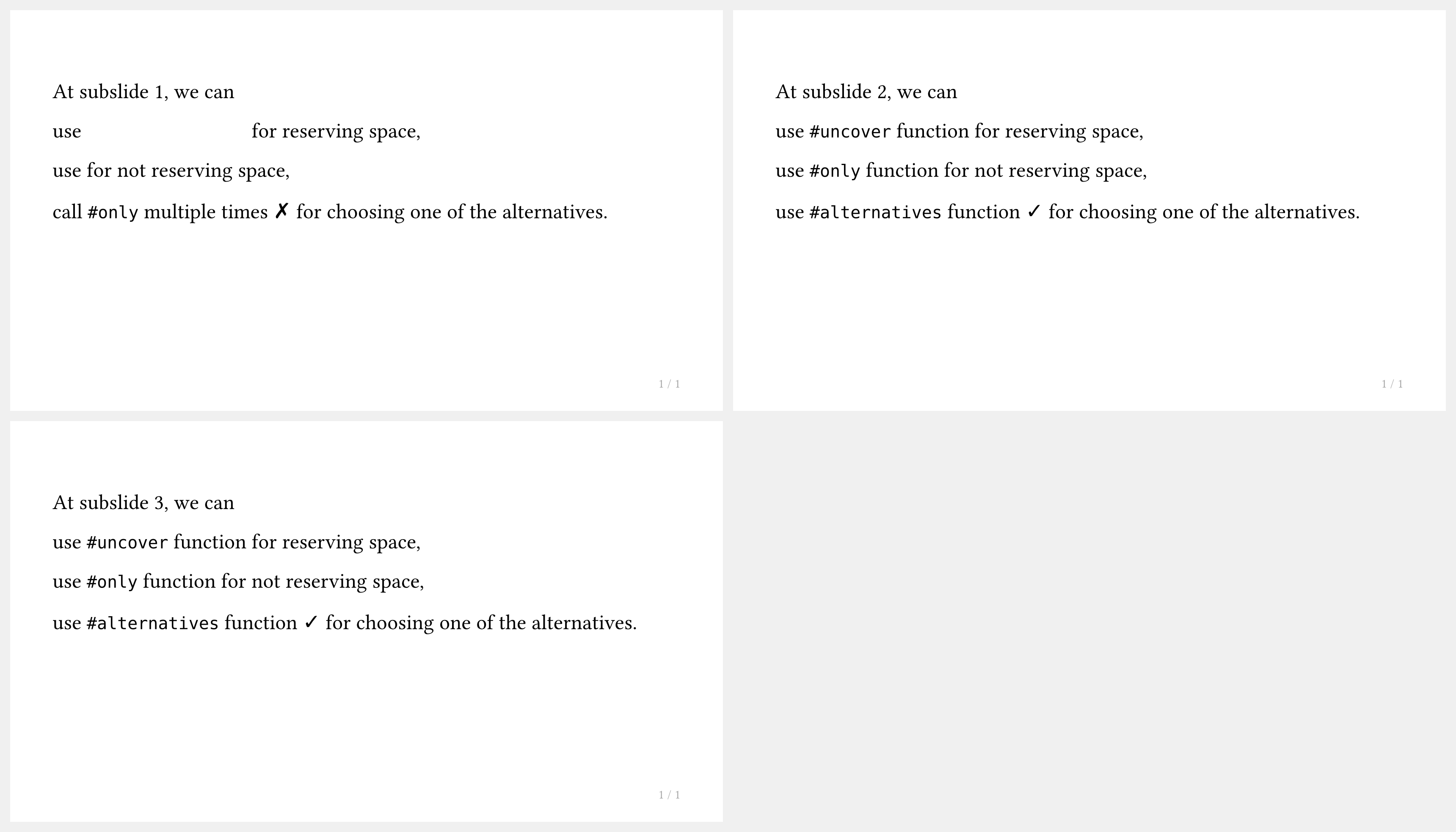
Notice that we no longer pass a content block but instead pass a callback function with a self parameter. Later, we extract only, uncover, and alternatives functions from self using:
#let (uncover, only, alternatives) = utils.methods(self)
We then call these functions in subsequent steps.
Here's an interesting fact: the self.subslide of type int indicates the current subslide index, and in fact, the only, uncover, and alternatives functions rely on self.subslide to determine the current subslide index.
We manually specify the repeat: 3 parameter, indicating the display of 3 subslides. We need to do this manually because Touying cannot infer how many subslides only, uncover, and alternatives should display when we use the bindings via utils.
only
The only function means it "appears" only on selected subslides. If it doesn't appear, it completely disappears and doesn't occupy any space. In other words, #only(index, body) is either body or none.
The index can be an int type or a str type like "2-" or "2-3". For more usage, refer to Polylux.
For more convenience we also support auto, which uses the current subslide position when only is encountered; "h" which does the same, but is a string, and derivations of that: "h-" and "-h".
Furthermore we allow the use of the inversion via "!". Simply write "!h" or "!2-4" to get all but those subslides. Contrary to normal indices, the inversion does not increment subslide count.
For how to use waypoints, please see the dedicated section on waypoints.
uncover
The uncover function means it "displays" only on selected subslides; otherwise, it will be covered by the cover function but still occupies the original space. In other words, #uncover(index, body) is either body or cover(body).
The index can be an int type or a str type like "2-" or "2-3". For more usage, refer to Polylux.
But you can also use the other options you saw for only above.
You may also have noticed that #pause actually uses the cover function, providing a more convenient syntax. In reality, their effects are almost identical.
alternatives
The alternatives function displays a series of different content in different subslides. For example:
#slide(repeat: 3, self => [
  #let (uncover, only, alternatives) = utils.methods(self)

  #alternatives[Ann][Bob][Christopher]
  likes
  #alternatives[chocolate][strawberry][vanilla]
  ice cream.
])
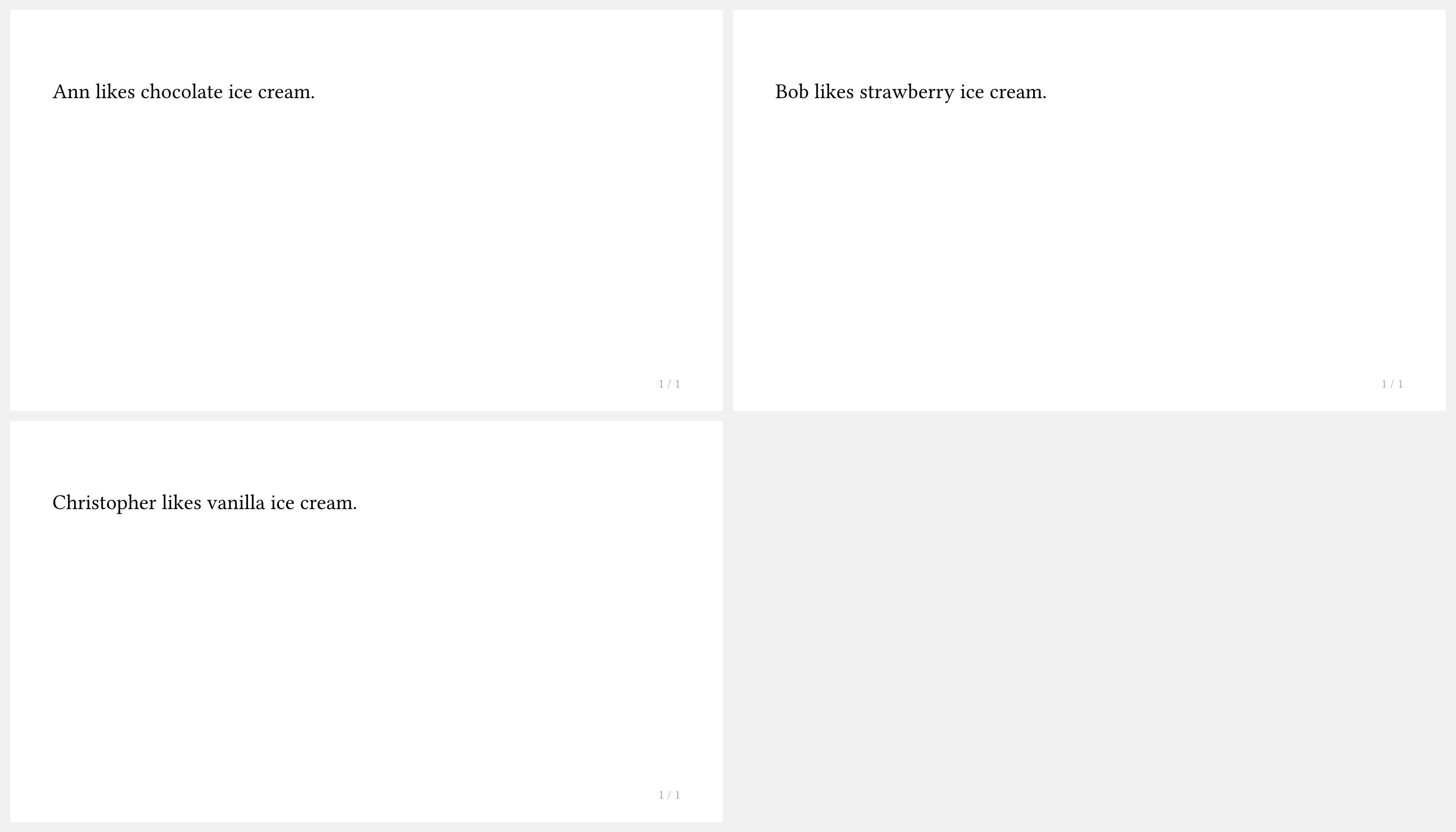
As you can see, alternatives can automatically expand to the most suitable width and height, a capability that only and uncover lack. In fact, alternatives has other parameters, such as start: 2, repeat-last: true, and position: center + horizon. For more usage, refer to Polylux.
animate
only, uncover and alternatives each do one thing. #animate lets you attach several effects to one piece of content and say on which subslides each applies.
#slide[
  #animate(
    [The same words, three ways.],
    effects: (
      (effect: "cover", subslides: 1),
      (effect: (body, ..) => text(fill: blue, body), subslides: 2),
      (effect: (body, ..) => text(fill: red, strong(body)), subslides: "3-"),
    ),
  )
]
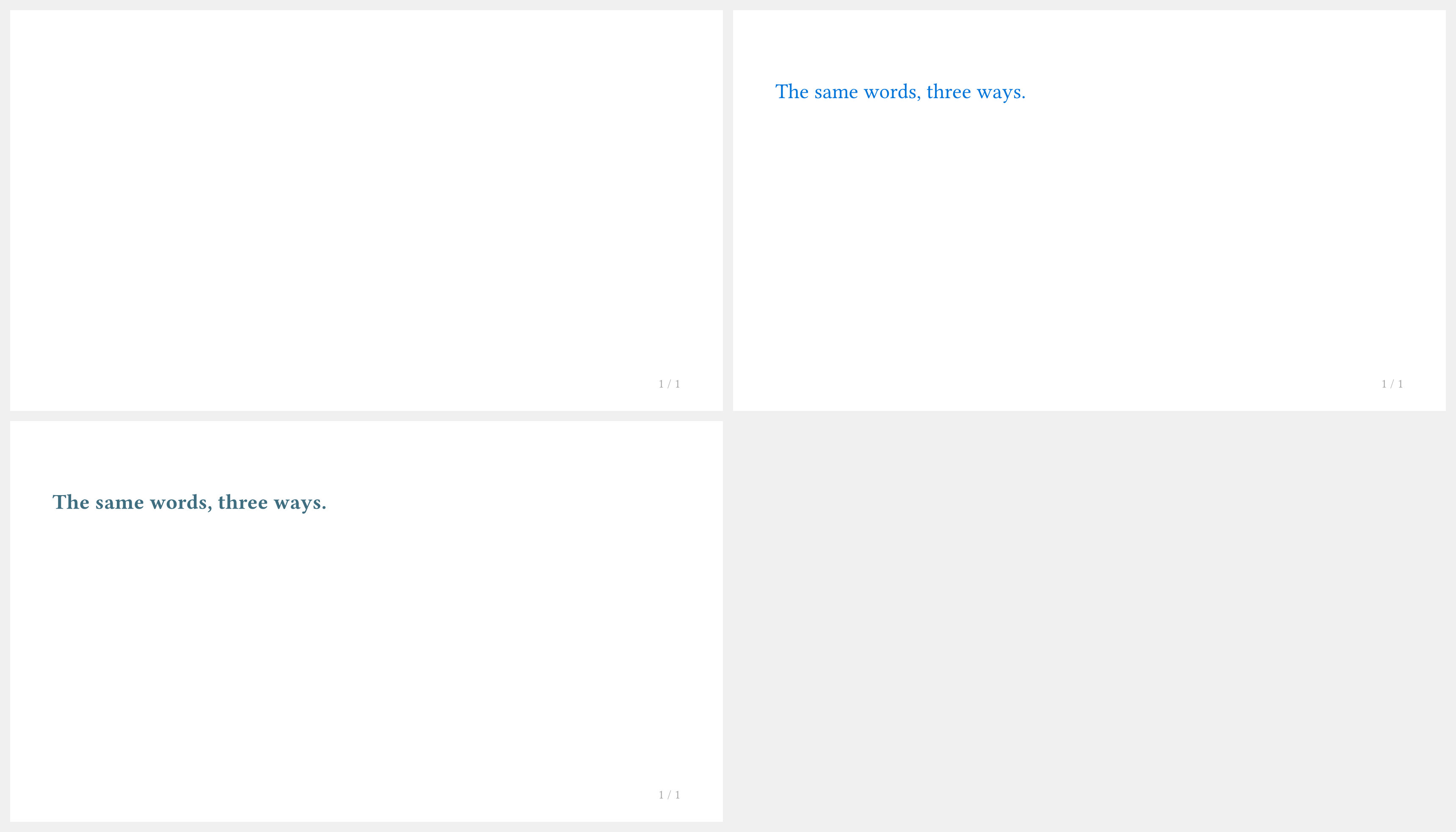
Each effect is a dictionary with three keys. effect is what to do, subslides says when, exactly as in uncover, and priority breaks ties. subslides defaults to "1-" and priority to 1.
Two kinds of effect
Effects fall into two classes that combine differently.
Placements decide whether the content appears at all: the strings "cover", "remove" and "show", and the function swap(..). Exactly one placement applies per subslide, so they cannot stack. Styles are any function you pass, and all of them apply, nested inside one another.
A style function takes (body, ..) and returns content. A plain text.with(fill: red) will not do, because touying calls it with a named self as well to allow you to condition on the subslide or other config; write (body, ..) => text(fill: red, body). The cover methods work directly as styles, so utils.alpha-changing-cover is a valid effect.
Which one wins
Every #animate starts with an implicit "show" placement at priority 0, so writing any placement of your own replaces it. Among the placements active on a subslide the highest priority wins, and ties go to the last one written. For styles, priority only sets the nesting order: the lowest is innermost, and within one priority the last written is innermost, so it wins any property both of them set.
The rule is the same in both classes: the last effect you wrote wins, a placement by being the one used, a style by ending up innermost.
animate-hidden and animate-removed
#animate-hidden(..) and #animate-removed(..) are #animate with a "cover" or "remove" placement underlying your effects, at priority 0. These are a shorthands if you need the content hidden or removed initially.
Space
"cover" reserves the content's space, "remove" reserves none, exactly as uncover and only do.
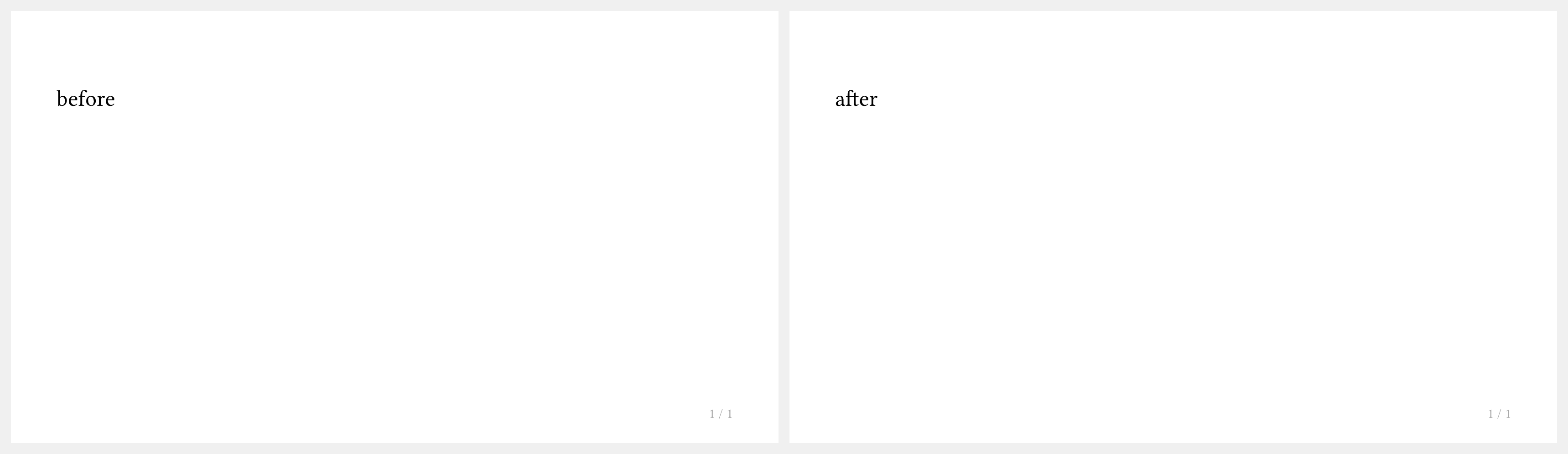
swap(replacement) puts something else in its place and lets the layout reflow. With swap(replacement, stretch: true) the replacement joins the reserved space instead, so the block keeps one size across every subslide, the way alternatives does.
#slide[
  #animate(
    [before],
    effects: ((effect: swap([after], stretch: true), subslides: "2-"),),
  )
]
touying-render
#touying-render(body, subslides: ..) renders a piece of content at chosen animation stages, wherever you put it. The content is animated as usual, but you decide which frames appear:
#let steps = [first #pause second #pause third]

== The Steps
#steps

== Just the Middle
#touying-render(steps, subslides: 2, base: 1)
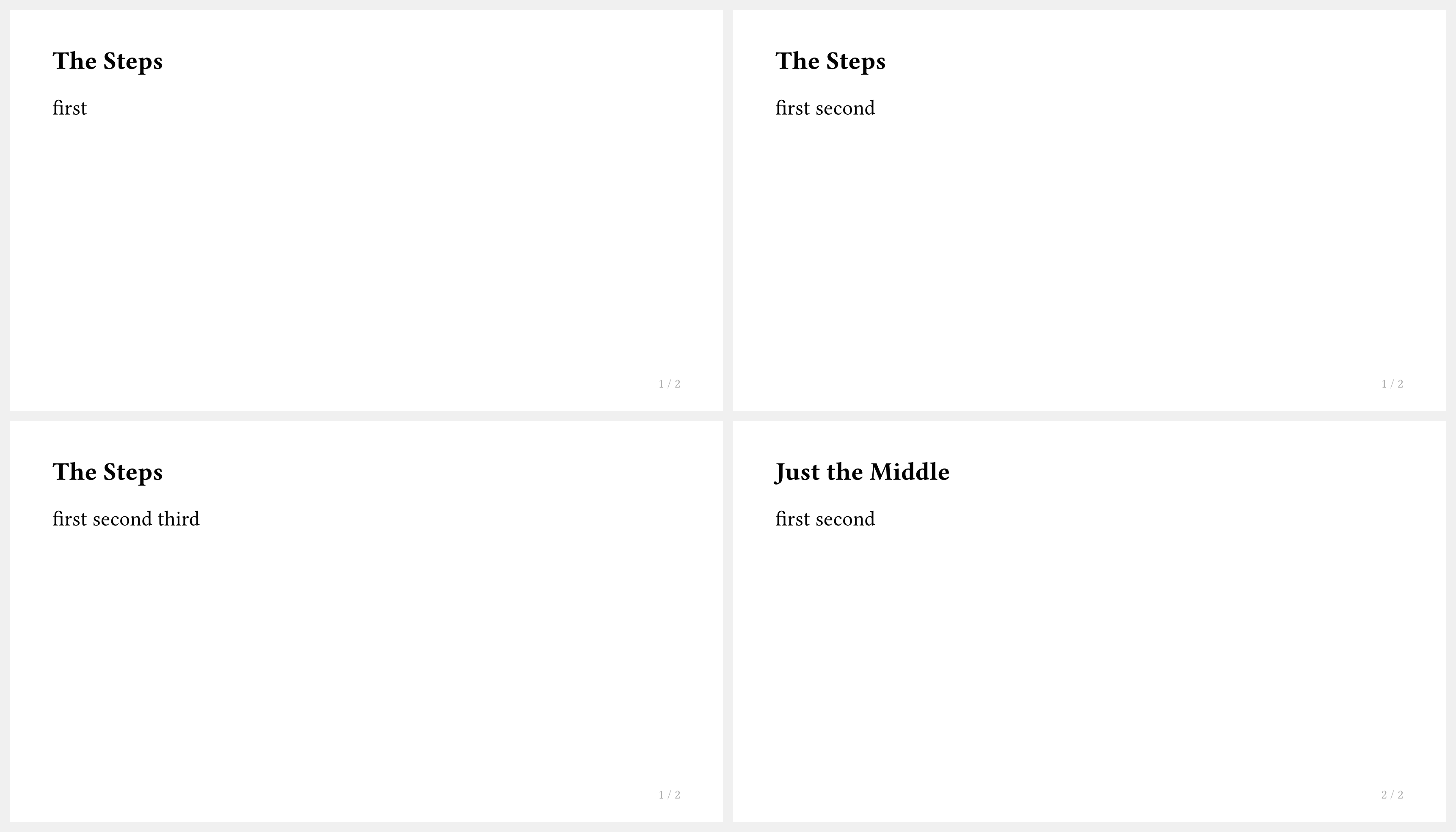
subslides takes the same specs as uncover, including ranges like "2-4" and "h" for the current position, and it may step through a whole range rather than a single frame. base: sets the subslide the content counts from, and start: and repeat-last: behave as in alternatives.
Pass an explicit base: for self-contained content. With base: auto the content counts from the enclosing slide's own animation, which is what you want for "h" and rarely what you want for anything else.
A waypoint label in subslides names one of the rendered content's own waypoints, just as it does for touying-recall. To aim at a waypoint of the surrounding slide instead, pass use-outer-waypoints: true.
touying-recall
Where touying-render takes content you have in a variable, #touying-recall(<label>) takes content that is already somewhere in the document. The label has to sit on something that has subslides of its own, such as a labelled block containing a #pause, or a labelled touying-reducer:
== The Construction
#box[the frame #pause and the inscribed circle]<fig>

== Later
At its first stage that was #touying-recall(<fig>, subslides: 1).
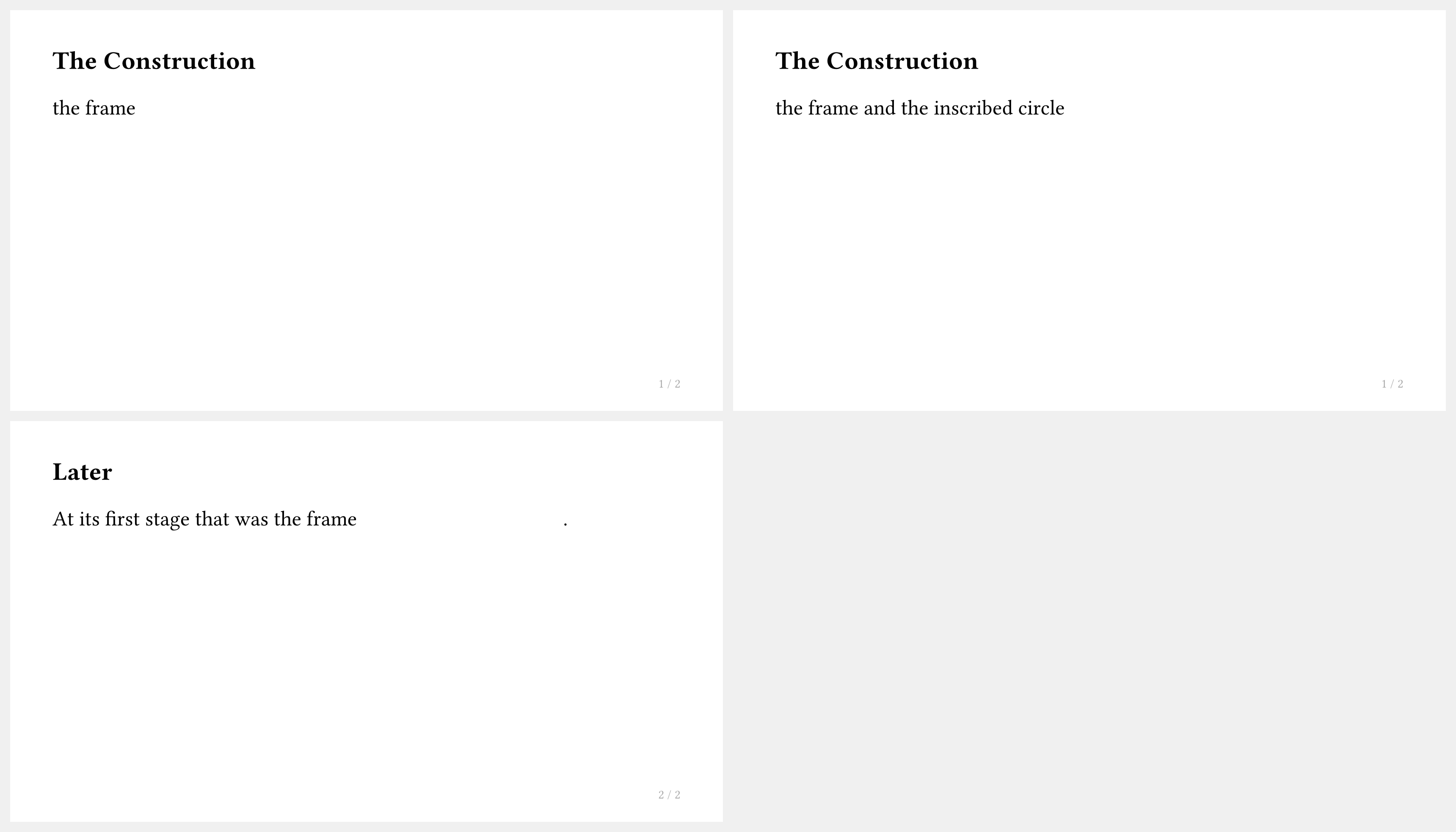
subslides picks the stage, and base: has the same meaning as above. This is what makes an animated diagram usable in Article Mode, where only the final frame would otherwise survive.
Callback-style variants
All function of course have their callback counterpart in utils. Use those if you cannot or don't want to use the self-counting animation functions.